
You’ve found a role that matches your experience. You update your resume, upload it to a careers portal and hope it reaches the right recruiter. But there’s one practical question worth asking first: can the employer’s recruitment software read your resume clearly?
An applicant tracking system (ATS) helps employers receive, organise and review job applications. Depending on the system, it may also extract information from your resume into fields recruiters can search. A complicated layout can make that extraction less accurate. It does not mean that an ATS automatically rejects every resume it cannot parse.
This guide explains how to build an ATS-friendly resume format in 2026, with a sample layout, India-specific tips, examples for freshers and experienced professionals, and a checklist you can use before applying.
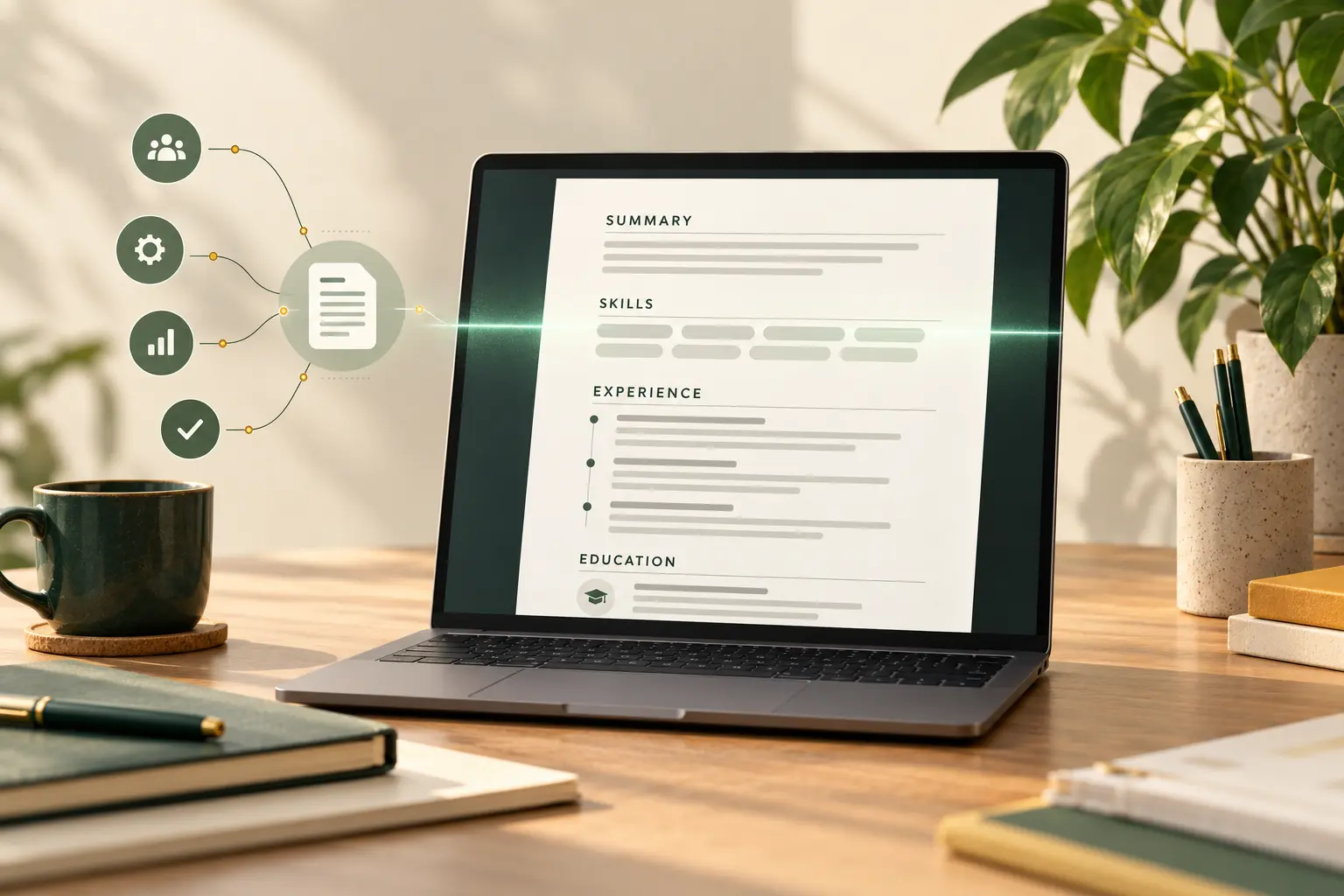
What Is an ATS, and How Does It Handle Resumes?
An ATS is recruitment software used to manage candidate applications. Employers may use platforms such as Greenhouse, Workday or SAP SuccessFactors, but workflows differ from company to company. Some systems extract your job titles, employment dates, skills and education into structured fields; recruiters can then review applications and search or filter candidates.
For example, Greenhouse’s official support documentation explains that complex columns, tables, text boxes, graphics and contact details placed in headers or footers can interfere with resume parsing. In some situations, candidate information must be entered or corrected manually.
This is why an ATS-friendly resume should achieve two goals: make your information straightforward for software to extract and make your experience easy for a human recruiter to assess. Good formatting cannot replace relevant skills, qualifications or genuine achievements.
Best ATS-Friendly Resume Format in 2026
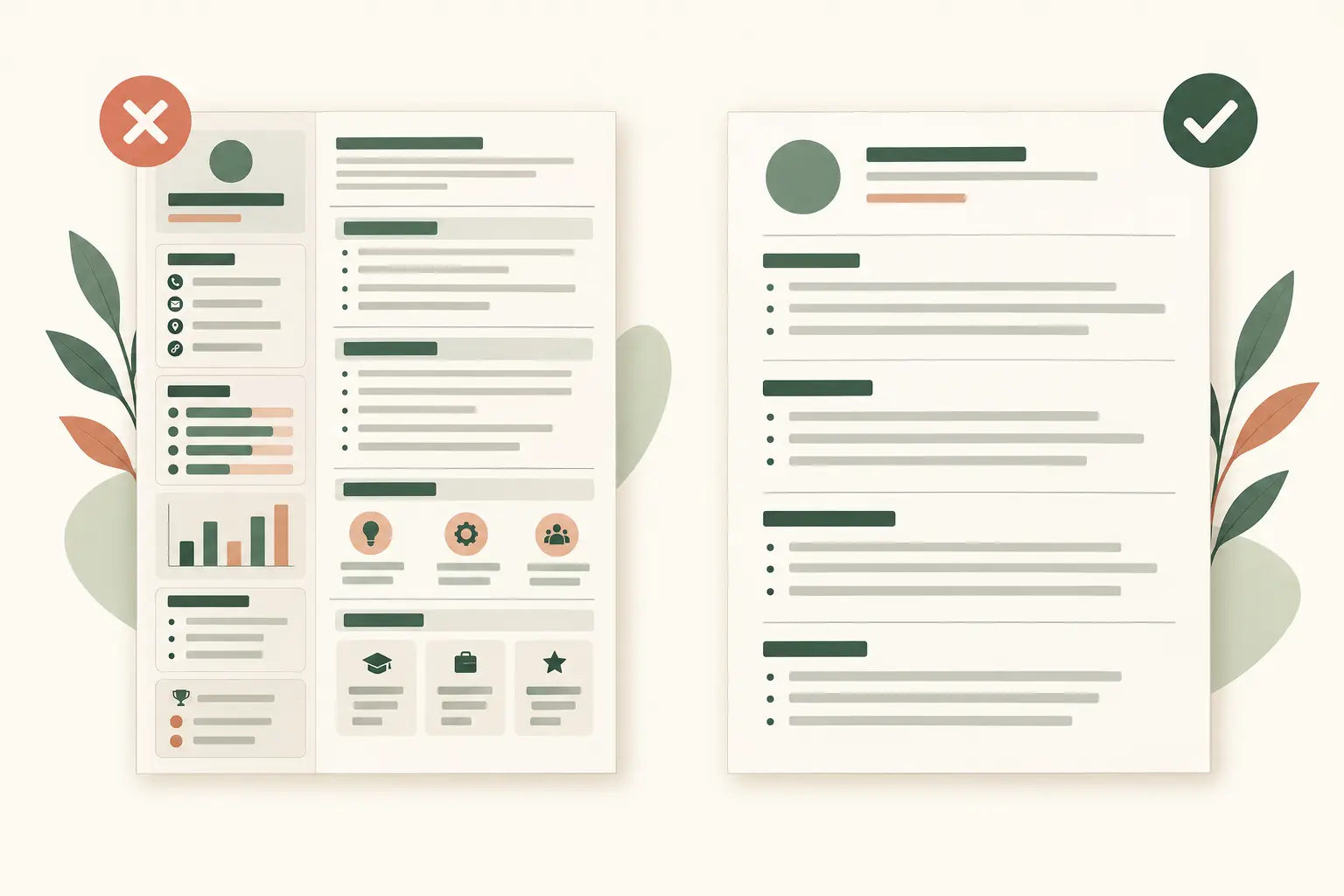
1. Use a straightforward, single-column layout
A simple one-column document is the safest default when you do not know which ATS an employer uses. Present your sections from top to bottom rather than dividing work history and skills across decorative columns. Some modern systems can process complex files, but a simple layout reduces unnecessary risk.
2. Choose reverse-chronological order for experience
List your newest role first and work backwards. A combination or hybrid resume can also work if it places a focused summary and skills section above a complete, dated employment history. Avoid hiding important employment dates behind a purely skills-based layout.
3. Use familiar section headings
Headings such as Professional Summary, Key Skills, Work Experience, Education, Projects and Certifications make your document easier to navigate. Choose only the sections that fit your career stage. Creative labels such as “My Journey” may be less immediately clear to readers and some parsers.
4. Keep typography readable and consistent
Use a conventional font such as Arial, Calibri, Cambria or Georgia. Body text around 10–12 points and a larger name or section headings are usually practical. Leave enough white space for scanning, use consistent date formats and stick to ordinary bullet points. There is no universal ATS-approved font or magic margin size.
5. Put essential information in the document body
Your name, phone number, professional email, location and relevant profile link should be plain, selectable text near the top—not embedded in a logo, photo, graphic, header or footer. For most Indian private-sector applications, a city and state are usually more useful than a full home address unless the employer requests it.
Example: A Simple ATS-Friendly Resume Layout
The following is an illustrative example, not a real candidate’s profile. It shows how a clean structure can present useful information without tables or elaborate design.
PRIYA SHARMA
Digital Marketing Specialist | Gurugram, Haryana
priya.sharma@example.com | +91 90000 00000 | linkedin.com/in/priya-example
PROFESSIONAL SUMMARY
Digital marketing professional with five years of experience in campaign planning, content strategy and performance reporting. Skilled in Google Analytics 4, SEO and coordinating cross-functional campaigns.
KEY SKILLS
Google Analytics 4 | Search Engine Optimisation (SEO) | Content Strategy | Campaign Reporting | Stakeholder Coordination
WORK EXPERIENCE
Digital Marketing Specialist — Northstar Retail Pvt Ltd
January 2022 – Present
- Planned monthly content and campaign calendars across website and social channels.
- Built performance reports in Google Analytics 4 to support campaign reviews.
- Coordinated campaign delivery with design, sales and external partners.
EDUCATION
Bachelor of Business Administration — Example University, 2020
CERTIFICATIONS
Google Analytics Certification
Notice the order: contact details, summary, relevant skills, dated work experience, education and certifications. For a real application, replace every illustrative detail with your own, and add measurable outcomes wherever you can substantiate them.
How to Make Your Resume ATS-Friendly: Step by Step
- Read the job description carefully. Highlight required tools, qualifications, responsibilities and the role title. Separate must-have requirements from preferred ones.
- Write a focused summary. In three or four lines, explain your actual experience, specialisation and relevance to the position.
- Select genuine matching skills. If the opening requests SAP FICO and you have used it professionally, write “SAP FICO” rather than relying only on a broad phrase such as “ERP experience”. Never list skills you cannot demonstrate.
- Write achievement-led experience bullets. Explain what you did, how you did it and the result when it can be measured credibly.
- Check structure and dates. Use recognisable job titles, employer names and a consistent date style such as “Jan 2023 – Mar 2026”.
- Review the exported file. Make sure its text can be selected and copied, and follow the employer’s instructions for the file format.
Before-and-after resume bullet examples
Too vague: “Responsible for social media.”
Stronger: “Planned LinkedIn and Instagram content for three product lines, coordinated creative production and prepared monthly engagement reports.”
Too vague: “Handled sales team.”
Stronger: “Led a six-member inside-sales team, coached new hires and introduced a weekly pipeline review process.”
If you know verified figures—revenue, conversion, team size, budget or time saved—include them. Never invent percentages just to make a bullet sound impressive. The stronger versions are effective because they name specific responsibilities and context, not because they promise to pass an algorithm.
ATS-Friendly Resumes for Freshers and Experienced Professionals
Fresh graduates and entry-level applicants
If you have limited full-time experience, bring relevant education, internships and projects forward. Explain which tools you used, what you built or researched, and what your contribution was. Include certifications that genuinely support your target role. One page is often sufficient, but clarity matters more than a rigid page limit.
For example, “Built a customer feedback dashboard using Excel and Power BI as part of a final-year project” tells an employer more than “Knowledge of computers”.
Mid-career applicants and senior executives
Show career progression, ownership, achievements and the scope of your work. A two-page resume may be appropriate for experienced professionals; some senior candidates need more room. Focus on relevance instead of trying to squeeze every job into a universal length.
Leadership applicants can mention team size, geographic responsibility, budgets or P&L accountability where those details are accurate and shareable. If years of experience are difficult to organise into a clear document, Profileva’s professional resume writing service can help structure your career story around target roles and evidence-backed achievements.
Seven ATS Resume Mistakes Worth Avoiding
- Decorative columns and tables. Some systems read content out of order or omit information.
- Text boxes or image-based details. A name or skill stored as an image may not be extracted as text.
- Critical contact information in headers or footers. Keep it in the main body for better compatibility.
- Unclear headings and inconsistent dates. Standard labels help people and software identify sections.
- Keyword stuffing. Repeating the same job title or pasting hidden keywords is misleading and unhelpful.
- Unverified claims or irrelevant skills. Matching the vacancy matters only when the experience is real.
- Skipping a final export check. A file can look correct on your screen but lose readable text after conversion.
The Harvard career guidance on resumes and cover letters also emphasises clear organisation, consistent formatting, relevant achievements and tailoring your resume to the role. Those are valuable practices even when no ATS is involved.
PDF vs Word: Which File Format Is Better for ATS?
Both a properly generated DOCX file and a text-based PDF can work with modern recruitment software. Compatibility depends on the employer’s platform and how the document was created. A scanned PDF or image-exported page is a greater concern because its contents may not be available as ordinary selectable text.
The safest rule is to follow the employer’s instructions. If a portal requests DOCX, upload DOCX. If it accepts PDF, export a text-based PDF from Word or Google Docs and inspect the result. There is no reliable universal rule that “all PDFs fail ATS”.
Can an ATS Resume Checker Tell You If Your Resume Will Pass?
A resume checker may help identify formatting issues, missing sections or differences between your document and a job description. But any proprietary “ATS score” is based on that tool’s own criteria. It cannot guarantee how every employer’s recruitment system or hiring team will evaluate you.
Try this simple self-check before submitting: open your final file, select all the text, and paste it into a plain-text editor. Look for missing contact details, broken words, jumbled section order and dates attached to the wrong roles. This is a useful warning test—not a complete simulation of a particular ATS. Also proofread the original layout as a human recruiter would.
Should Your Resume and LinkedIn Profile Match?
They do not need identical wording, but they should tell a consistent, truthful professional story. Check that your job titles, employers, dates, relevant skills and major achievements do not contradict one another. LinkedIn gives you more room to explain projects, recommendations and your professional interests.
LinkedIn’s own profile guidance encourages members to keep work experience and skills current so others can understand their background. After updating your resume, it is a good time to review your LinkedIn headline and About section. If you want support with that step, Profileva offers a LinkedIn Profile Makeover.
ATS-Friendly Resume Checklist Before You Apply
- Use one clean column and familiar section headings.
- Place your contact details in the main document body.
- Use selectable text rather than images for important information.
- Show job titles, employer names and consistent dates.
- Include only relevant keywords you can support with evidence.
- Describe your work with specific responsibilities and genuine results.
- Save in the format requested by the employer.
- Copy the exported file’s text to check for obvious parsing problems.
- Check spelling, links and contact information before submitting.
Frequently Asked Questions
What is the best ATS-friendly resume format?
For most applicants, a simple single-column resume with clear headings and dated reverse-chronological experience is a practical starting point. Tailor the sections to your experience and target role.
Does an ATS automatically reject resumes with graphics?
Not necessarily. Some complex or graphic-heavy files may be parsed incorrectly, but hiring workflows vary. Clearer formatting reduces avoidable extraction problems; it does not guarantee selection.
Is PDF or Word better for ATS applications?
Both text-based PDF and DOCX can work. Follow the employer’s stated requirement, and avoid scanned or image-only documents unless requested.
Should freshers use a different ATS-friendly template?
Freshers can use the same simple structure but place more emphasis on education, internships, academic projects, relevant skills and certifications.
Do I need to rewrite my resume for every vacancy?
You do not need to begin from scratch, but reviewing your summary, skills and strongest examples against each job description can make your application more relevant. Keep every claim accurate.
Final Thoughts
An ATS-friendly resume is not a trick to beat recruitment software. It is a clear, credible explanation of your work that software can process and recruiters can understand. Start with a readable format, tailor it honestly and check the exported file before you apply.
If you would prefer expert support in organising your experience, choosing relevant keywords and presenting your achievements clearly, explore Profileva’s Resume Writing service. A strong resume should work for both the system and the person reading it.
Join the conversation